


Hello everyone,
I’ve made a small Windows tool to make creating PERPHEADS weapon skins a bit easier - without having to install every change just to see how it looks. I will likely make this into a website soon, as it's very lightweight, after I've had some of you test it!
This application follows the official perpheads help guide and correctly builds the right folder structure. I don't know what models you can and cannot edit, follow the rules! Once it is a website, I will probably make a sort of "skin workshop" for people to just upload and share their skins!
I used a mixture of sol1.0 and claude opus for a lot of the frontend and 3d engine.
Thanks to:
@PotatoAnimation for "giving" me this idea (he told me about it, I forgot, and thought I came up with it on my own)
@DanielRabbit for pushing me to do this with his help & support thread
@BI$HOP for doing some testing and bug finding!
@Vollgas for saying this is cool
vote for joey
What it does:
Getting started:
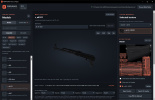
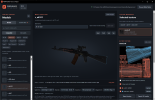
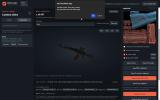
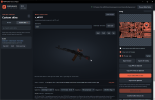
Download and run the Windows Setup, choose your Garry’s Mod folder, then select a weapon. Right-click and drag to rotate; left-click a part to inspect its texture.
You’ll need Garry’s Mod and the PERPHEADS Workshop content installed, as the tool mounts onto it to get all your textures and models.
Download:
https://github.com/JoeyMarrey29/TextureHelper/releases/latest
Quick guide:
https://github.com/JoeyMarrey29/TextureHelper/blob/main/HELP.md
It’s free and open source under GPL-3.0. I’d appreciate people trying it out and reporting anything that looks wrong. The preview isn't perfect to how it looks in game, but it's pretty damn close
Windows may show a SmartScreen warning because the application isn’t code-signed.
I’ve made a small Windows tool to make creating PERPHEADS weapon skins a bit easier - without having to install every change just to see how it looks. I will likely make this into a website soon, as it's very lightweight, after I've had some of you test it!
This application follows the official perpheads help guide and correctly builds the right folder structure. I don't know what models you can and cannot edit, follow the rules! Once it is a website, I will probably make a sort of "skin workshop" for people to just upload and share their skins!
I used a mixture of sol1.0 and claude opus for a lot of the frontend and 3d engine.
Thanks to:
@PotatoAnimation for "giving" me this idea (he told me about it, I forgot, and thought I came up with it on my own)
@DanielRabbit for pushing me to do this with his help & support thread
@BI$HOP for doing some testing and bug finding!
@Vollgas for saying this is cool
vote for joey
 |  |
 |  |
 |  |
 |  |
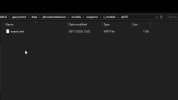 |  |
 |  |
What it does:
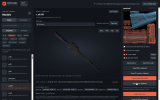
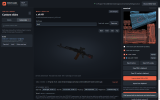
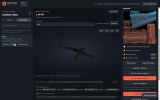
- Browse your installed PERPHEADS weapon models.
- Preview compatible stocks, magazines, sights and other attachments.
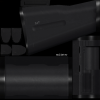
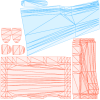
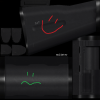
- Click a part to see its texture and UV layout.
- Show parts of a model that are sharing a texture together, with colour-coded overlays.
- Export PNG/DDS textures
- Export to file or clipboard for overlays and textures
- Import from DDS/PNG/clipboard to preview skins and install them - note: images have to be the same size (512x512, 1024x1024) as the orginal texture
- Automatically save local drafts so you can come back to unfinished skins.
- Install finished skins, or uninstall them while keeping a saved copy.
- Check for updates in the app (no downloading 10 releases from github!)
- You can edit all models by changing the filter from compatible, this is untested outside the viewer and wont work in game, but you can make some cool car reskins for the fun of it)
Getting started:
Download and run the Windows Setup, choose your Garry’s Mod folder, then select a weapon. Right-click and drag to rotate; left-click a part to inspect its texture.
You’ll need Garry’s Mod and the PERPHEADS Workshop content installed, as the tool mounts onto it to get all your textures and models.
Download:
https://github.com/JoeyMarrey29/TextureHelper/releases/latest
Quick guide:
https://github.com/JoeyMarrey29/TextureHelper/blob/main/HELP.md
It’s free and open source under GPL-3.0. I’d appreciate people trying it out and reporting anything that looks wrong. The preview isn't perfect to how it looks in game, but it's pretty damn close
Windows may show a SmartScreen warning because the application isn’t code-signed.
Last edited: