


- Staff
- #1
So for school i'm making a mealorder website, i'm struggling with the sort tho.... Can someone help me out?
so i have this already:
"use strict";
document.addEventListener("DOMContentLoaded", init);
function init() {
let html = `<option value="id">id</option><option value="img">img</option>
<option value="book">book</option><option value="cal">calories</option>
<option value="serv">servings</option><option value="type">type</option>
<option value="price">price</option><option value="cook">cook</option>
<option value="quan">quantity</option>`;
document.querySelector('#sortby').innerHTML = html;
document.querySelector("#sortby").addEventListener("change", sortByCheck)
}
document.querySelector('input').addEventListener('keyup', search);
function search() {
let input, filter, i, txtValue, article, h3;
input = document.querySelector("input");
filter = input.value.toLowerCase();
article = document.querySelectorAll('article');
for (i = 0; i < meals.length; i++) {
h3 = article.getElementsByTagName("h3")[0];
txtValue = h3.textContent || h3.innerText;
if (txtValue.toLowerCase().indexOf(filter) > -1) {
article.style.display = "";
} else {
article.style.display = "none";
}
}
}
function sortByCheck() {
let sorters = document.querySelector('#sortby').options;
let wichsorted = document.querySelector('#sortby').selectedIndex;
let sorter = sorters[wichsorted].text;
console.log(sorter);
localStorage.getItem('mealsList');
allMeals.sort(function(a, b){return b.calories - a.calories}); // only did this to try if it works this way, it doesn't
addMeals();
}
this is the list, with meals:
it should be able to sort on every property of the list.
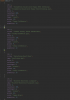
I already figured out to check on wich one the user wants it sorted, that works but i have no clue how to sort it then.... didn't find anything like this on the internet!
so i have this already:
"use strict";
document.addEventListener("DOMContentLoaded", init);
function init() {
let html = `<option value="id">id</option><option value="img">img</option>
<option value="book">book</option><option value="cal">calories</option>
<option value="serv">servings</option><option value="type">type</option>
<option value="price">price</option><option value="cook">cook</option>
<option value="quan">quantity</option>`;
document.querySelector('#sortby').innerHTML = html;
document.querySelector("#sortby").addEventListener("change", sortByCheck)
}
document.querySelector('input').addEventListener('keyup', search);
function search() {
let input, filter, i, txtValue, article, h3;
input = document.querySelector("input");
filter = input.value.toLowerCase();
article = document.querySelectorAll('article');
for (i = 0; i < meals.length; i++) {
h3 = article.getElementsByTagName("h3")[0];
txtValue = h3.textContent || h3.innerText;
if (txtValue.toLowerCase().indexOf(filter) > -1) {
article.style.display = "";
} else {
article.style.display = "none";
}
}
}
function sortByCheck() {
let sorters = document.querySelector('#sortby').options;
let wichsorted = document.querySelector('#sortby').selectedIndex;
let sorter = sorters[wichsorted].text;
console.log(sorter);
localStorage.getItem('mealsList');
allMeals.sort(function(a, b){return b.calories - a.calories}); // only did this to try if it works this way, it doesn't
addMeals();
}
this is the list, with meals:
it should be able to sort on every property of the list.
I already figured out to check on wich one the user wants it sorted, that works but i have no clue how to sort it then.... didn't find anything like this on the internet!