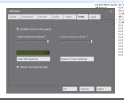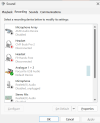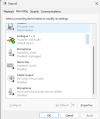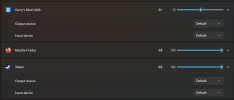


I play on a laptop. My mic used to work on source games, but i don't know what happened. I stopped playing for a while and i just realized now that my mic doesn't work. It works in everything else other than source games. I tried reinstalling gmod. I tried switching between chromium, x64, and default versions. I went to my sound settings in windows and made sure that my mic was the default device.
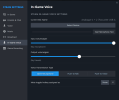
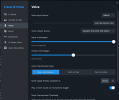
I have a focusrite now, but it was not working since before i had it. I tried doing the same steps for the default laptop mic and the focusrite. Both dont work. I have no other audio devices enabled when testing, everything is disabled except for the mic that i am trying to get to work. Both mic works in the steam voice options, but NOT in the "in-game" voice options in the steam overlay, as well as it not working in gmod itself. Other source games i tested it with was tf2 and left 4 dead 2. Both don't work, but cs2 works (prob cause it is on source 2 idk).
My other friend who has a focusrite has a working mic on source games. When i asked him to show me his settings, his ingame voice has the mic set to his oculus, but somehow the mic connected to his focusrite is the one working in game.
Another friend has his mic not working though. This friend also has a focusrite, and he is having the same exact problem that i am having.
I have a focusrite now, but it was not working since before i had it. I tried doing the same steps for the default laptop mic and the focusrite. Both dont work. I have no other audio devices enabled when testing, everything is disabled except for the mic that i am trying to get to work. Both mic works in the steam voice options, but NOT in the "in-game" voice options in the steam overlay, as well as it not working in gmod itself. Other source games i tested it with was tf2 and left 4 dead 2. Both don't work, but cs2 works (prob cause it is on source 2 idk).
My other friend who has a focusrite has a working mic on source games. When i asked him to show me his settings, his ingame voice has the mic set to his oculus, but somehow the mic connected to his focusrite is the one working in game.
Another friend has his mic not working though. This friend also has a focusrite, and he is having the same exact problem that i am having.